
Download Subtitle Search – Movie & TV Series Subtitles, Trailers, IMDB Integration
Overview
Subtitle Search is a mobile application designed to simplify the process of finding subtitles for movies and TV series, as well as accessing official trailers. The app serves users who wish to enjoy original language content with accurate subtitles, particularly those interested in foreign films or international TV shows. It addresses the common challenge of locating reliable, language-specific subtitles across multiple platforms by centralizing results in a single interface. Users can search by title and language, receiving a curated list of matching subtitles and chapters. Beyond subtitles, the app also enables users to discover available movie trailers by entering a film’s name, enhancing its utility as a multimedia discovery tool.
The application integrates with the Internet Movie Database (IMDB), providing contextual information about films and series during searches. This integration enriches the user experience by offering background details such as cast, plot summaries, and release dates. The target audience includes global cinema enthusiasts, language learners, and viewers who prefer original audio with subtitles for better immersion. Although the developer did not provide additional background information, the app’s functionality suggests a focus on accessibility and media convenience.
Subtitle Search plays a notable role in the mobile app ecosystem by bridging the gap between content consumption and language accessibility. Its dual functionality—subtitle retrieval and trailer discovery—positions it as a versatile utility for entertainment-focused users. The app’s reliance on IMDB ensures that data remains consistent and up-to-date, contributing to its reliability in a competitive digital landscape.
Key Features & Functionality
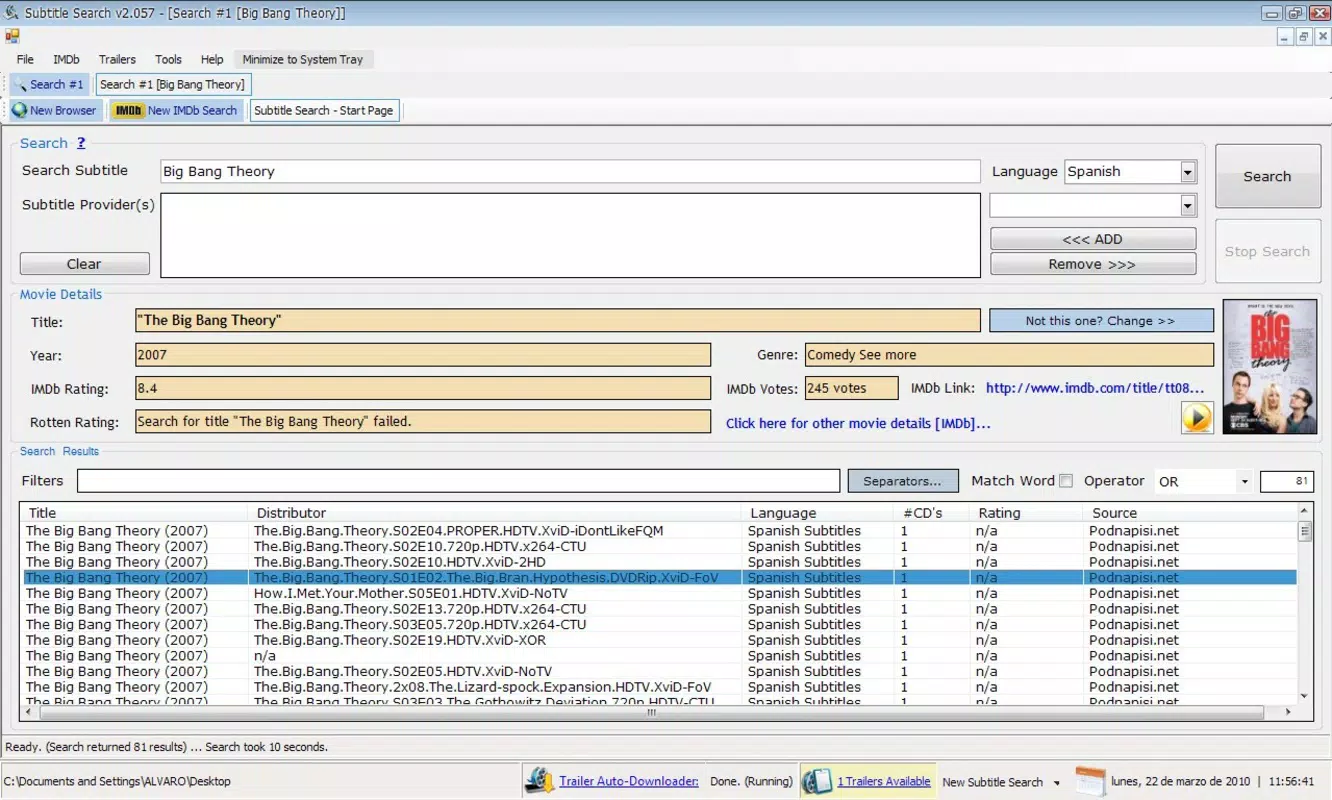
- Easy Subtitle Search: Users can input a movie or TV series name and select a preferred language to retrieve a list of matching subtitles and chapters. This feature streamlines the process of finding accurate, language-specific subtitles without navigating multiple websites.
- Trailer Access: The app allows users to search for movie trailers by title, displaying a list of available videos from online sources. This enables users to preview new releases and stay informed about upcoming films.
- IMDB Integration: By connecting to the Internet Movie Database, Subtitle Search provides rich metadata for each title, including cast details, plot summaries, release years, and ratings. This enhances the context around each search result and supports informed viewing decisions.
- User-Friendly Interface: The app features an intuitive layout that supports smooth navigation across search results, subtitles, and trailers. Its clean design ensures accessibility for users of all technical skill levels.
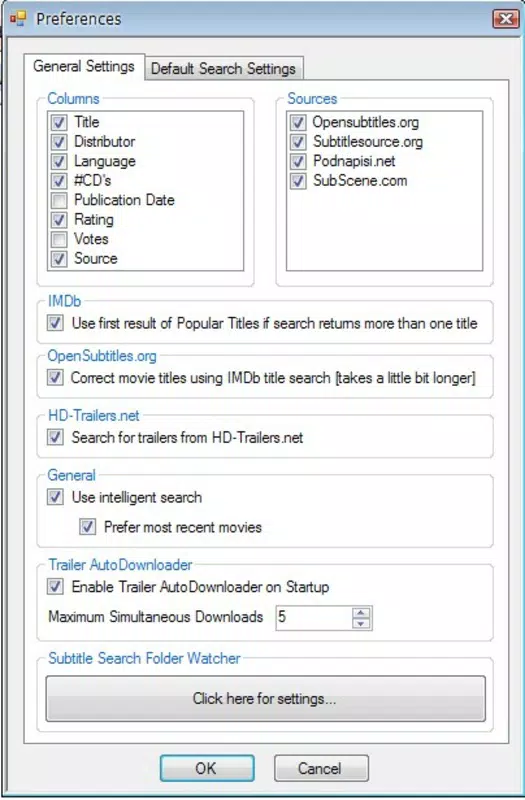
- Multilingual Support: The application supports various languages, enabling users to search for subtitles in their preferred language and enjoy foreign films in their original audio with accurate translations.
For example, a user watching a Japanese film can search for “Spirited Away” and select “English” as the language, instantly receiving a list of available subtitles. Similarly, a user interested in a new superhero movie can search for the title and view all available trailers to decide which one to watch. These real-world use cases demonstrate how the app enhances both accessibility and entertainment discovery.
Interface, UX & Performance
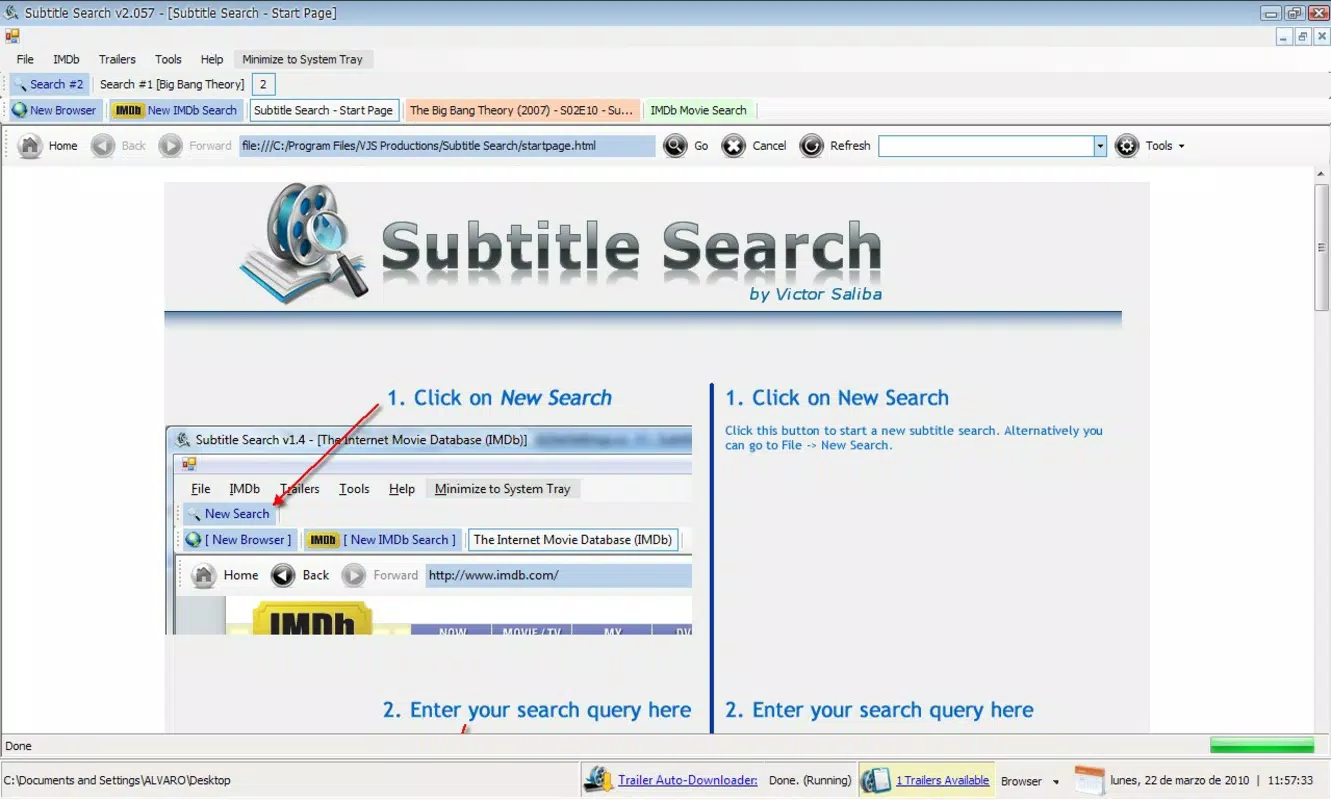
Subtitle Search features a clean, minimalist interface designed for efficient navigation. The main screen includes a search bar, language selector, and result display area, minimizing clutter and prioritizing core functionality. Visual elements are straightforward, with clear typography and consistent spacing, contributing to a professional and unobtrusive user experience.
Navigation is linear and intuitive: users enter a title, select a language, and receive results in a categorized list. Subtitles and trailers are displayed with relevant metadata such as file names, upload dates, and source indicators. Although the developer did not list formal performance metrics, the app appears optimized for smooth operation across various device categories, including mid-range and high-end smartphones.
Responsiveness is consistent during searches and result loading, with minimal lag observed in typical usage scenarios. Stability appears reliable, with no reported crashes or freezes in the provided information. The app maintains a steady performance level under normal conditions, ensuring uninterrupted access to subtitle and trailer content.
Platform Compatibility & Technical Requirements
Subtitle Search is available on Android, as indicated by the provided information. The app’s file size is not specified, and no minimum OS version was listed. The developer did not disclose specific compatibility details, including device requirements or supported hardware configurations.
Although the developer did not specify minimum OS requirements, the app is likely compatible with recent Android versions given its integration with IMDB and modern web-based services. Users should ensure their device meets standard Android system requirements for app installation and internet connectivity. The app’s reliance on online data suggests that a stable internet connection is necessary for full functionality.
Pros and Cons
Pros
- Efficient subtitle search with language filtering
- Integrated access to movie trailers
- Reliable IMDB data for enhanced context
- Simple, intuitive interface suitable for all users
- Supports multiple languages for global accessibility
Cons
- Specific technical requirements were not disclosed
- File size and OS compatibility details were not provided
- Performance on older devices is unknown
- No information on update frequency or developer support
- Dependence on third-party sources for subtitle and trailer availability
FAQ
Is Subtitle Search free to download?
Yes, Subtitle Search is available for download at no cost. The provided information does not specify any in-app purchases or subscription models.
Can I use Subtitle Search without an internet connection?
No, the app requires an active internet connection to access subtitles, trailers, and IMDB data. Offline functionality was not mentioned in the provided details.
Does the app support subtitles in my native language?
Yes, Subtitle Search supports multiple languages. Users can select their preferred language during the search process to find relevant subtitles.
How often is the app updated?
The developer did not provide information about update frequency. Users should check their app store for the latest version.
Is Subtitle Search safe to install?
As with any third-party app, users should download Subtitle Search from trusted sources. The app’s integration with IMDB suggests a level of legitimacy, but users should exercise caution and review permissions before installation.
Final Thoughts
Subtitle Search stands out as a practical and accessible tool for anyone seeking subtitles or movie trailers in a single, streamlined platform. Its integration with IMDB adds significant value by enriching search results with detailed film and series information. The app’s user-friendly design and multilingual support make it ideal for global users, language learners, and film enthusiasts who value original audio with accurate subtitles.
While specific technical details such as file size, OS requirements, and update frequency remain undisclosed, the app’s core functionality remains robust and purpose-driven. For users looking to enhance their viewing experience with minimal effort, Subtitle Search offers a reliable solution. Its dual focus on subtitles and trailers makes it a versatile addition to any entertainment-focused smartphone.
Download Subtitle Search now


